
VPS owners
Run many websites on one server. Each site can use its own PHP version, SSL is set up automatically, and FTP access stays locked to the site’s folder.
- PHP 7.4 to 8.5 per domain
- Automatic Let's Encrypt SSL
- One-click phpMyAdmin
Beta · Free & open source
RAYXO manages domains, SSL, PHP, databases, FTP and cron jobs on your Ubuntu server, with no license fees. It installs with a single command, and the code is open on GitHub.
$ wget https://rayxopanel.com/setup.sh$ sudo bash setup.sh --admin-email you@yourdomain.comUbuntu 24.04 LTSamd64 & arm64Latest release v0.3.0
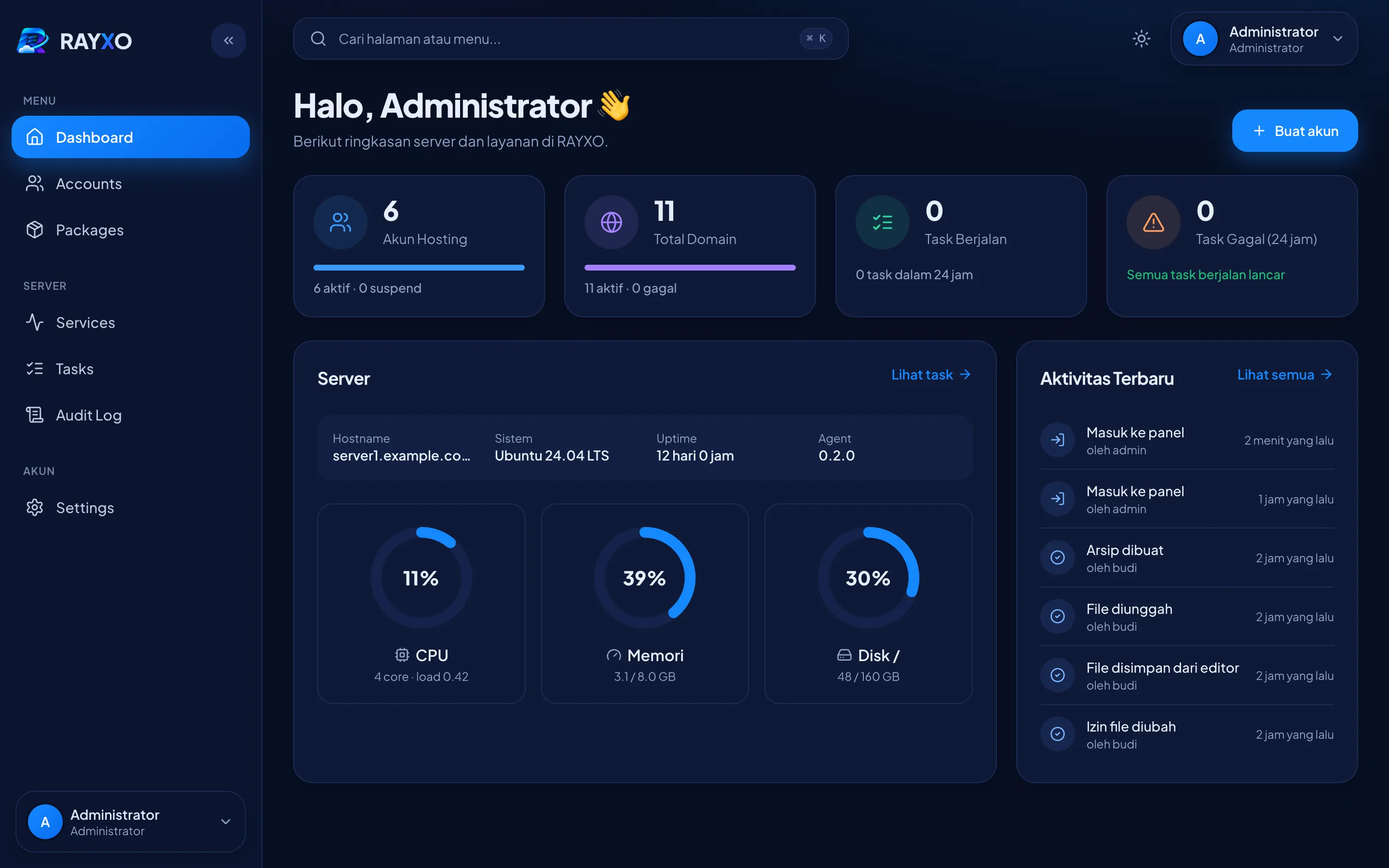
Run many websites on one server. Each site can use its own PHP version, SSL is set up automatically, and FTP access stays locked to the site’s folder.
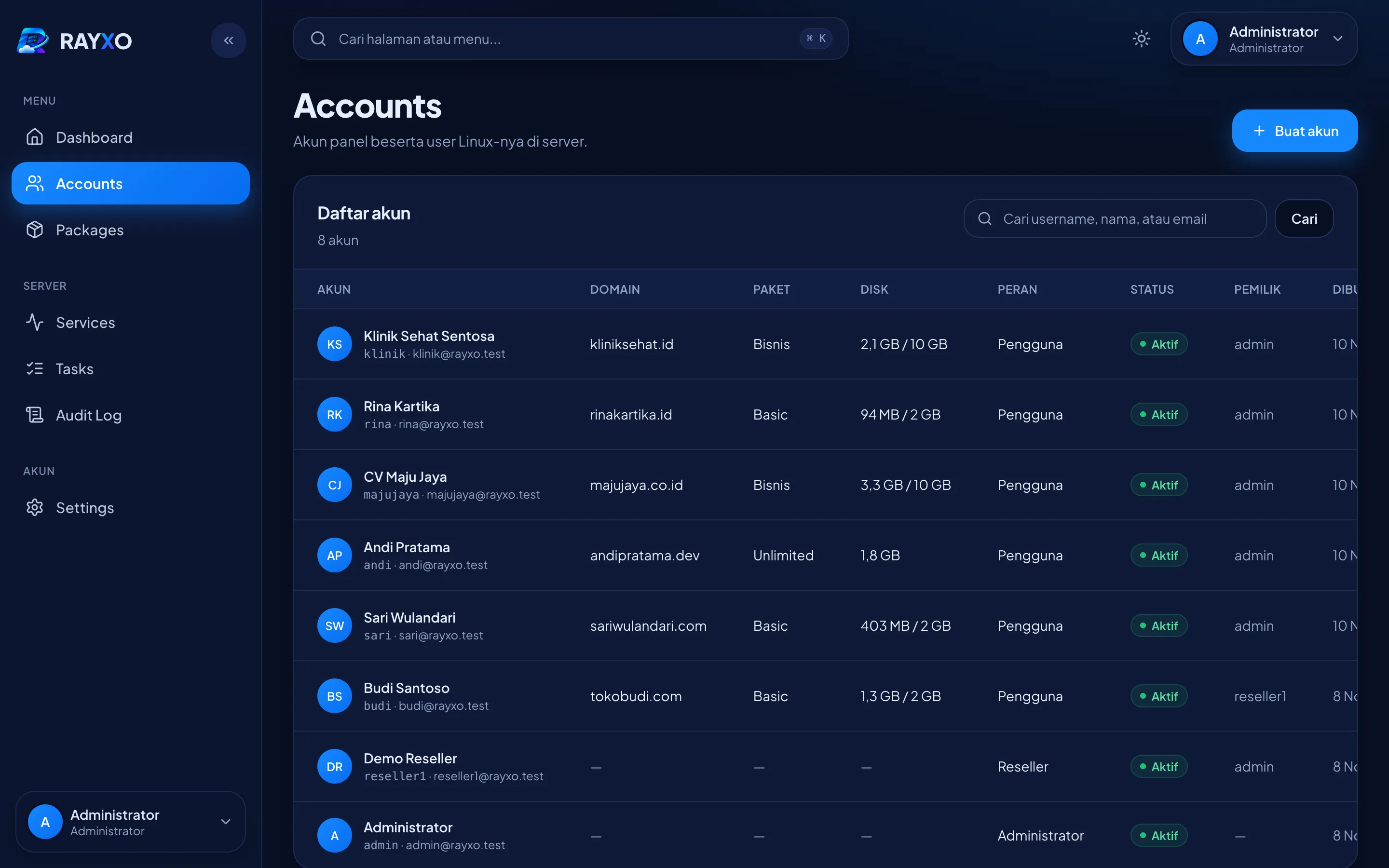
Sell hosting with clearly defined plans. Every customer runs as a separate Linux user with their own disk and inode quota.
Features
Everything below ships in the latest release.
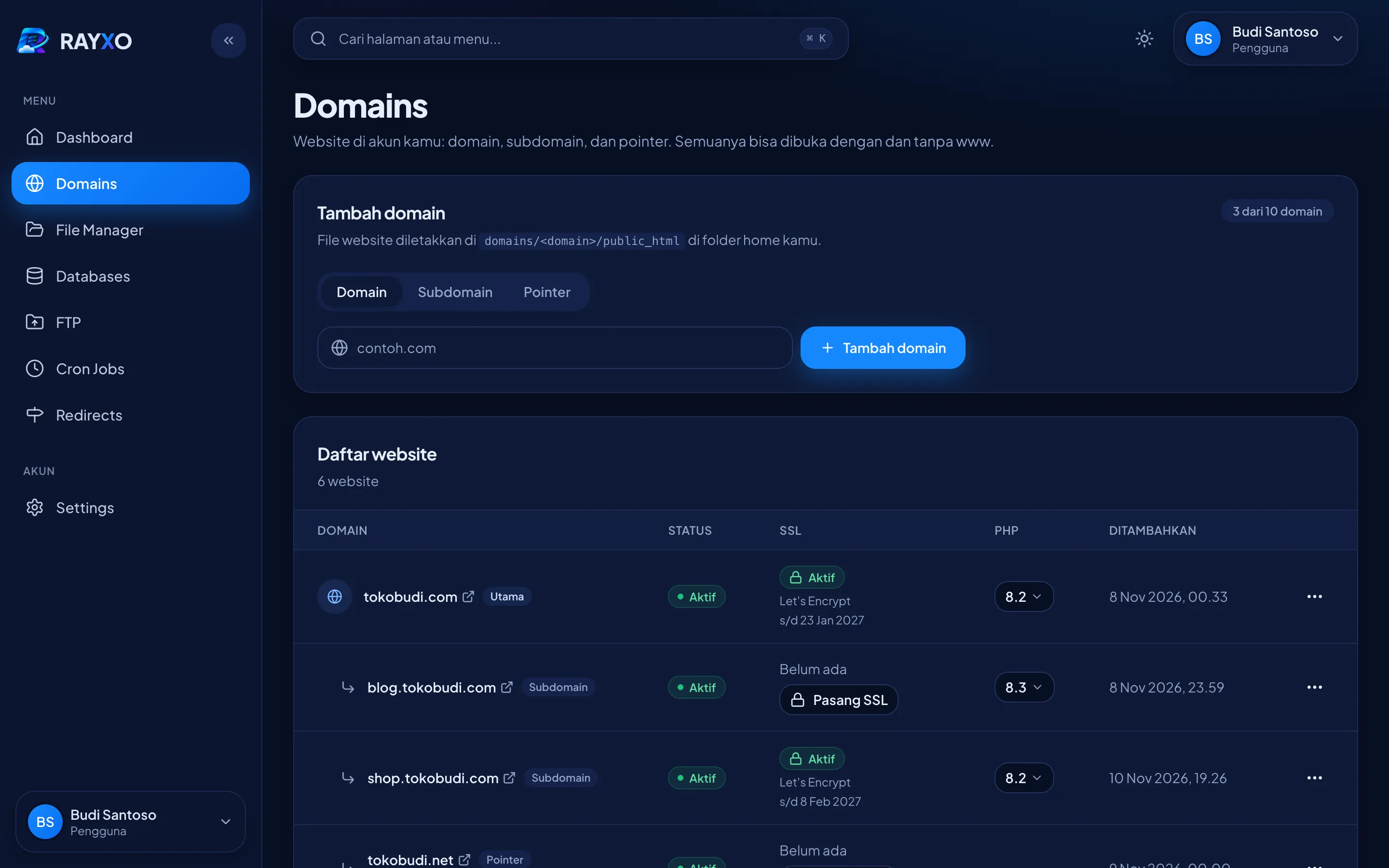
Domains, subdomains, aliases and pointers. Per-path 301/302 redirects and forced HTTPS. Nginx sits in front of Apache, so .htaccess keeps working.
PHP 7.4 to 8.5 per domain. Every site gets its own PHP-FPM pool and php.ini settings such as memory_limit and upload_max_filesize.
Let's Encrypt certificates are issued and renewed automatically. You can also bring your own certificate, including a Cloudflare Origin certificate.
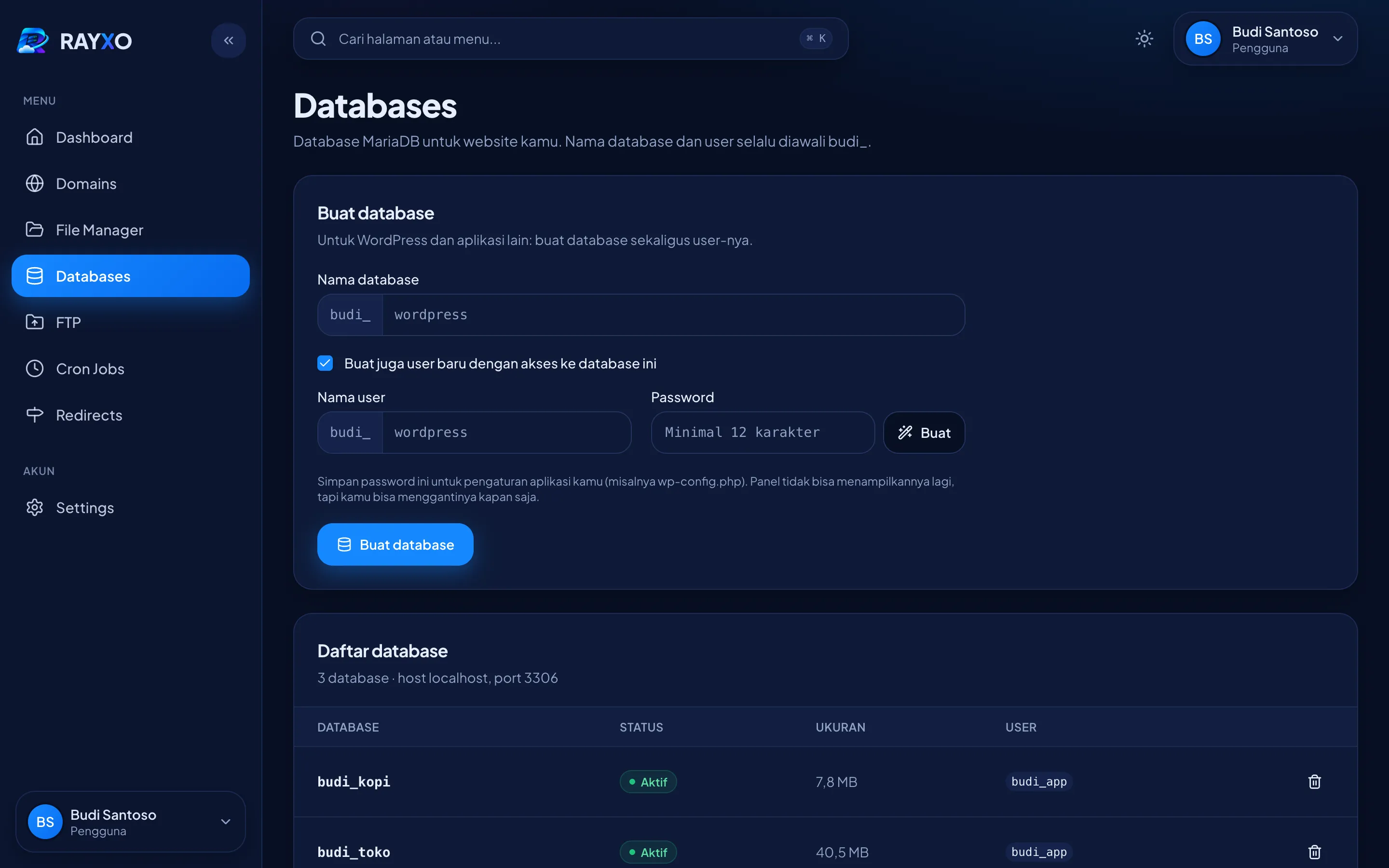
Create databases and users, grant access per database, and open phpMyAdmin in one click without logging in again.
Encrypted FTP (FTPS) accounts locked to a single folder, plus SFTP access without a shell.
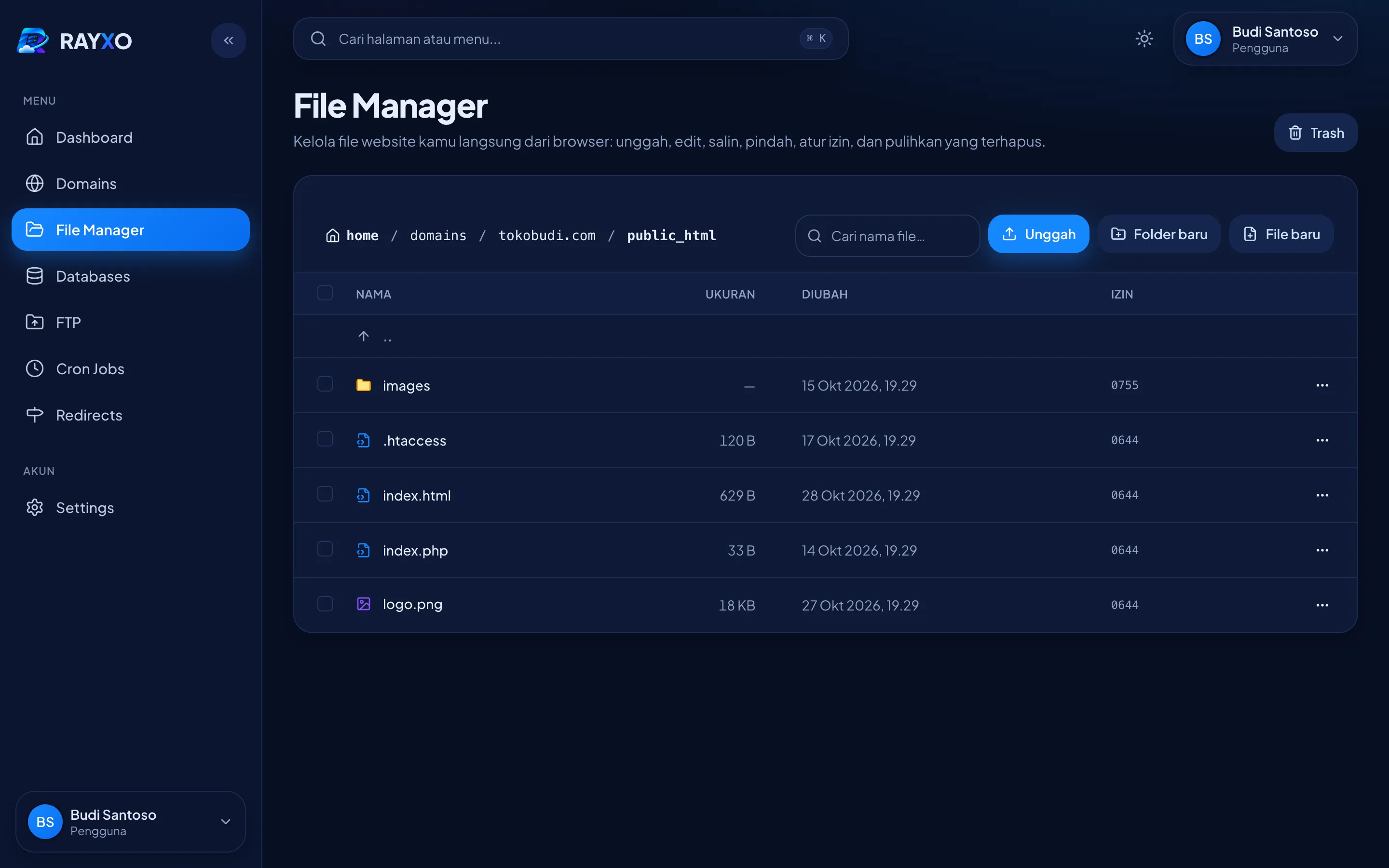
Upload files up to 10 GB, edit code, compress and extract ZIP/TAR, search files, and restore deleted files from the trash.
Five-field cron schedules or presets such as @daily. Any job can be paused at any time.
Disk and inode limits are enforced with Linux quotas. The number of domains, databases, FTP accounts and cron jobs is limited per plan.
Nginx, Apache, MariaDB and other services on one page. A watchdog restarts services that stop unexpectedly.
Every hosting account is its own Linux user. Tests on a real server confirm that one account cannot read another’s files, whether through SFTP, PHP, symlinks or .htaccess.
Sign in with 2FA or a passkey, and see your last 20 logins with their IP address and browser. The server agent only runs a fixed list of commands.
A single script installs everything and verifies the package checksum. The server needs no Composer, Node.js or Go.
Screenshots
Installation
A fresh Ubuntu 24.04 LTS VPS with at least 1 GB of RAM (2 GB recommended) and 5 GB of free disk. Point a hostname such as server1.yourdomain.com at the server with an A record, and set the PTR record at your VPS provider.
Run these commands as root. The installer checks DNS, installs every service and issues SSL for the hostname.
$ wget https://rayxopanel.com/setup.sh$ sudo bash setup.sh --admin-email you@yourdomain.comOpen https://your-hostname:2222. The admin username and password are shown once at the end of the install.
Open ports 80, 443, 2222, 21 and 35000–35999 in your VPS provider’s firewall.
Full installation guideRoadmap
RAYXO is still at version 0.x. The features below don’t exist yet, but they are planned.
Yes. There are no license fees, and all of the source code is open on GitHub under the AGPL-3.0.
RAYXO is still at version 0.x (beta). Try it on a new server first, and always keep your own website backups before moving customer sites.
For website hosting (domains, SSL, PHP, databases, FTP, cron jobs), yes. Email hosting, DNS, backups and a reseller level are not available yet; all of them are on the roadmap.
Ubuntu 24.04 LTS on amd64 or arm64. Debian support is planned.
No. The installer needs a fresh server and stops if it finds another panel, web server or database already installed.
The panel interface is currently in Indonesian.
Download the latest setup.sh and run it again. It is safe to re-run: your data and settings stay, and the panel moves to the newest version.
Ask in GitHub Discussions, report bugs in GitHub Issues, or email hi@rayxopanel.com.
Free, open source, and a single command to install.